Share to CookCloud for Android Devices
What It Does
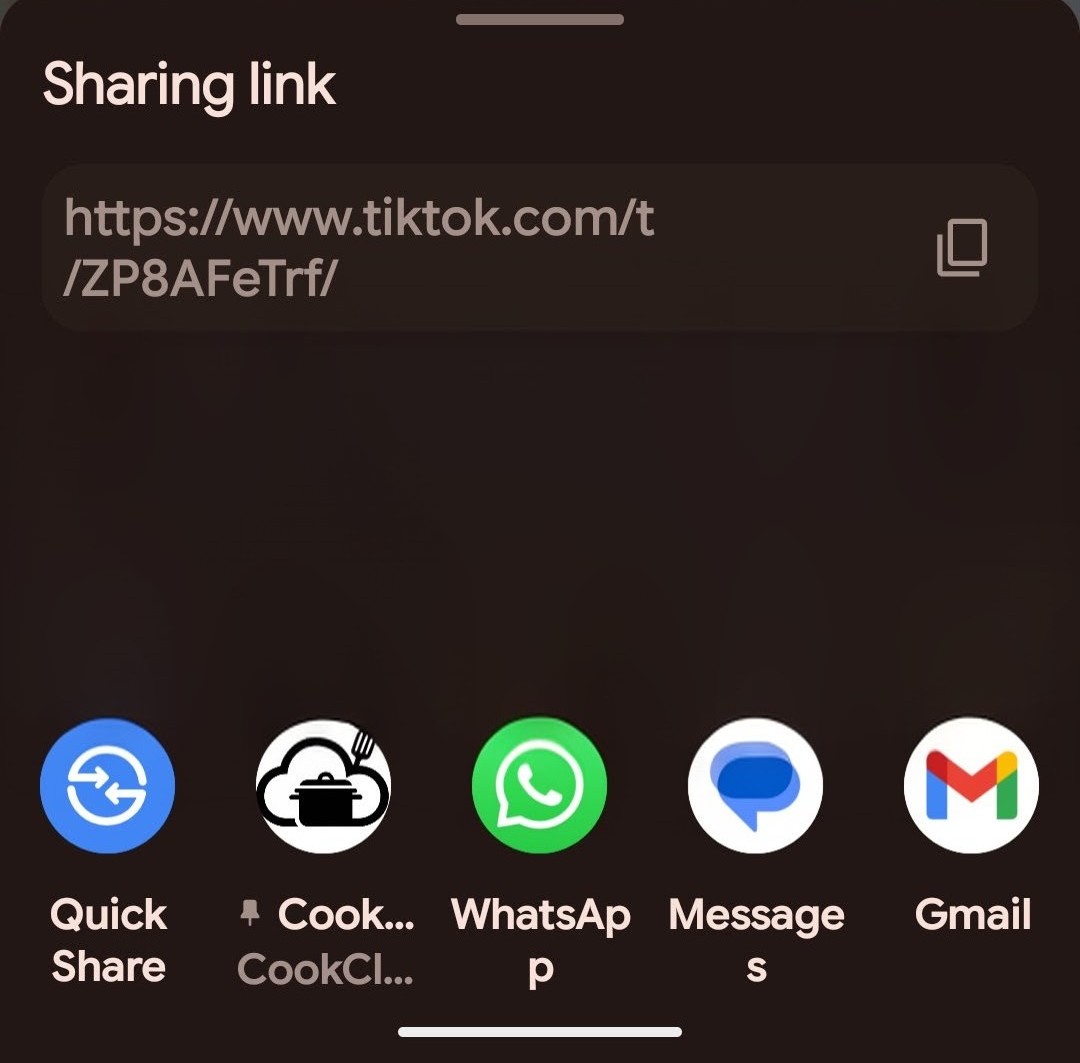
Import any recipe you find online with just a tap. When you're browsing recipes on your favorite sites, TikTok, YouTube, or cooking blogs, simply use your Android's share button and send it directly to CookCloud. We'll automatically extract the recipe details and add it to your collection—no need to copy URLs or switch apps.
How It Works
- Find a recipe you love anywhere online
- Tap the share button on your Android device
- Select CookCloud from your share options
- Done - the recipe is instantly saved and ready to add to your meal plan
Already using CookCloud? You can import recipes by pasting URLs on the import page, but this new share feature streamlines the whole process—saving you the extra steps of copying links and navigating to the import screen.
What Gets Captured
- Recipe ingredients
- Cooking instructions
- Prep and cook times
- Serving sizes
- Source link for reference
Where It Works
- Cooking websites - AllRecipes, Food Network, NYT Cooking, and more
- Social media - TikTok recipes, YouTube cooking videos, Instagram posts
- Food blogs - Your favorite recipe bloggers
- Anywhere else - If there's a recipe, we'll try to capture it
Platform Note
Android Only (For Now)
This share-to-app feature uses Android's native sharing capabilities. Unfortunately, iOS doesn't support the same functionality for web apps.
iPhone users: We hear you! If there's enough interest, we'll develop a dedicated iOS app to bring this convenient sharing feature to your iPhone too. In the meantime, you can still add recipes through the CookCloud web app by pasting URLs on the import page.
Plan. Prep. Plate. - Making meal planning effortless, one shared recipe at a time.
Comments (0)
No comments yet.
Log in to leave a comment.